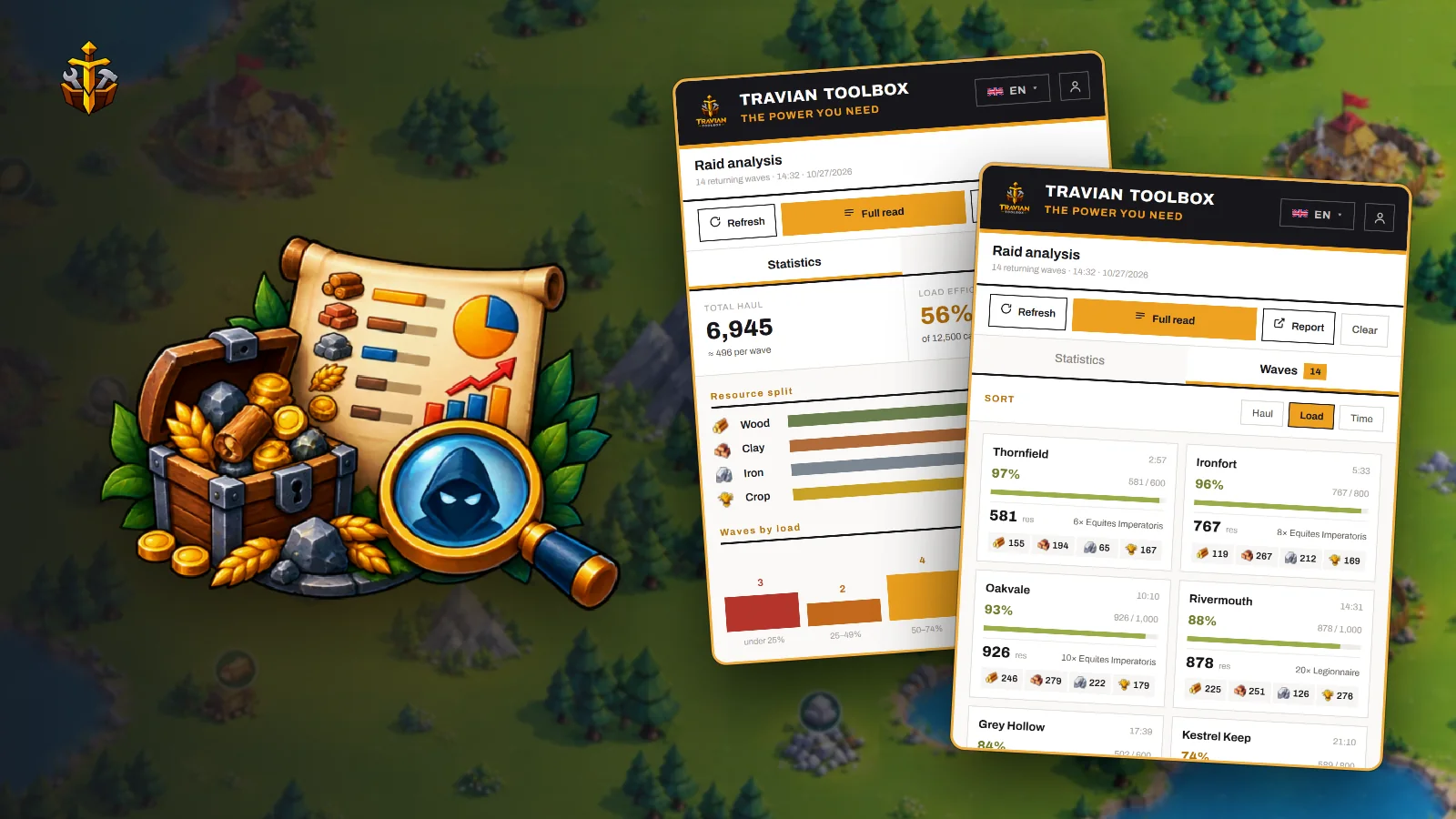
A farm list slowly goes bad. Some farms get hit by other players and come back nearly empty, while others grow and your troops can no longer carry everything. Travian shows you each returning wave but doesn't add them up for you, so most players keep sending the same troops to the same villages for weeks without knowing which raids are worth it.
Raid analysis in Travian Toolbox reads your rally point and tells you what your raids carried home, how full your troops came back, and which farms need more or fewer troops.
 Full tutorial: raid analysis8:46
Read the rally point
Open Raid analysis in the extension popup while you are on the rally point. Refresh reads the page in front of you without reloading it. Full read goes through every page of returning troops and then puts your tab back where it was, which is handy when you are somewhere else in the game. There is also a Raid analysis button in the rally point's own title bar that opens the same view in a window over the page.
The figures are read from the page, so they match what Travian itself shows.
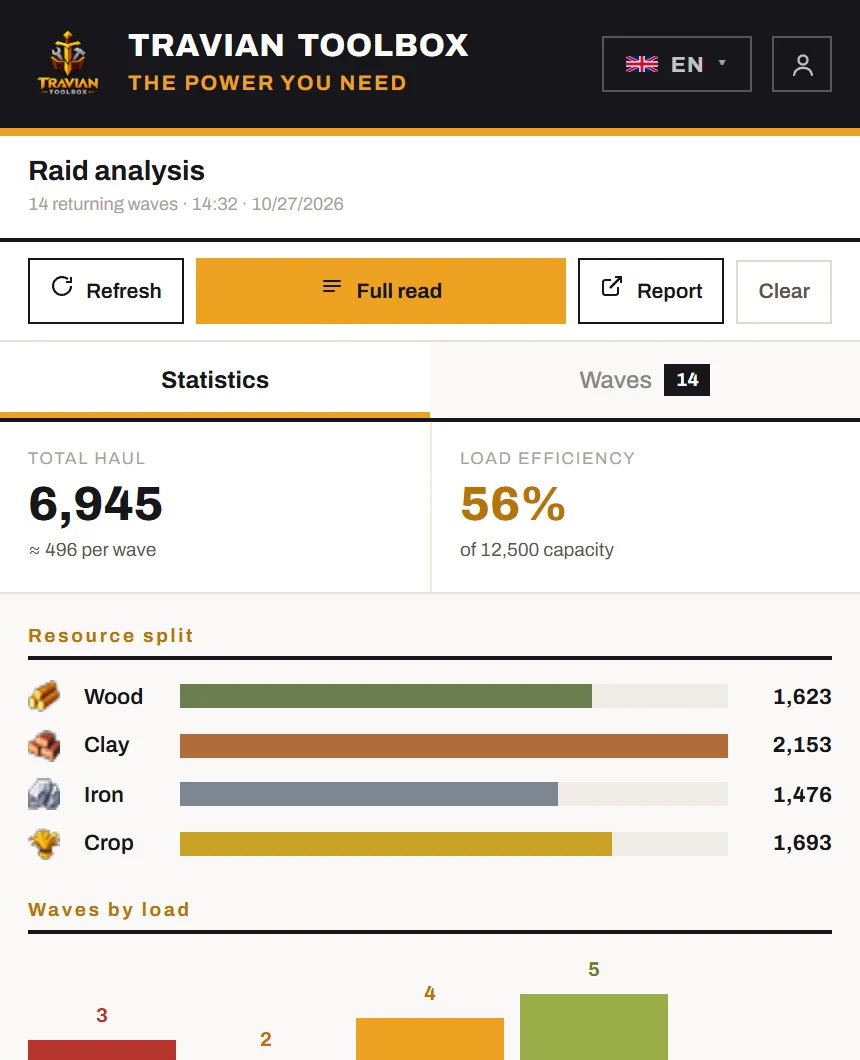
The Statistics tab gives you:
- Total haul: everything your returning waves carry, with the average per wave.
- Load efficiency: how full your troops came back.
- Resource split: wood, clay, iron and crop.
- Waves by load: your waves grouped from under 25% up to full, with a line telling you how many came back under half full.
Load efficiency is everything carried divided by everything that could have been carried. One full scout can't hide thirty-five half-empty horsemen that way.
Look at single waves
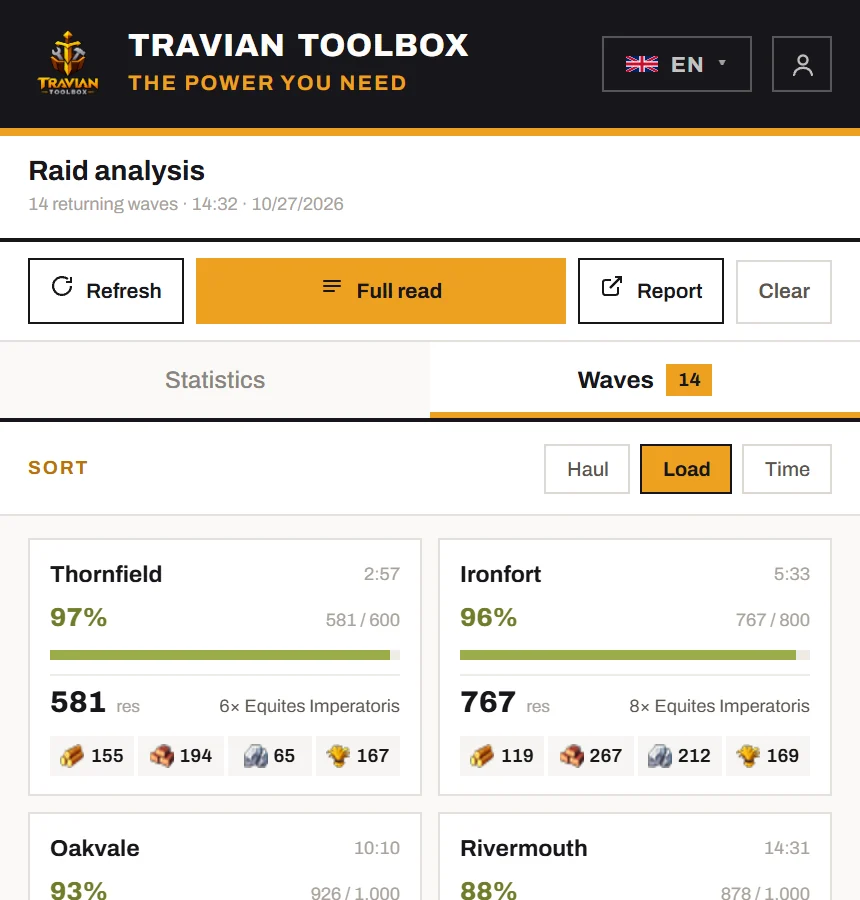
The Waves tab has one card per returning wave: where it is coming from, the units in it, a fill meter from green to red, and the haul. Sort by Haul, Load or Time. Sorting by Load puts the emptiest raids where you can see them.
The report: which farms to change
Every time you read the rally point, the raids are recorded. Report opens a full page built from that history.
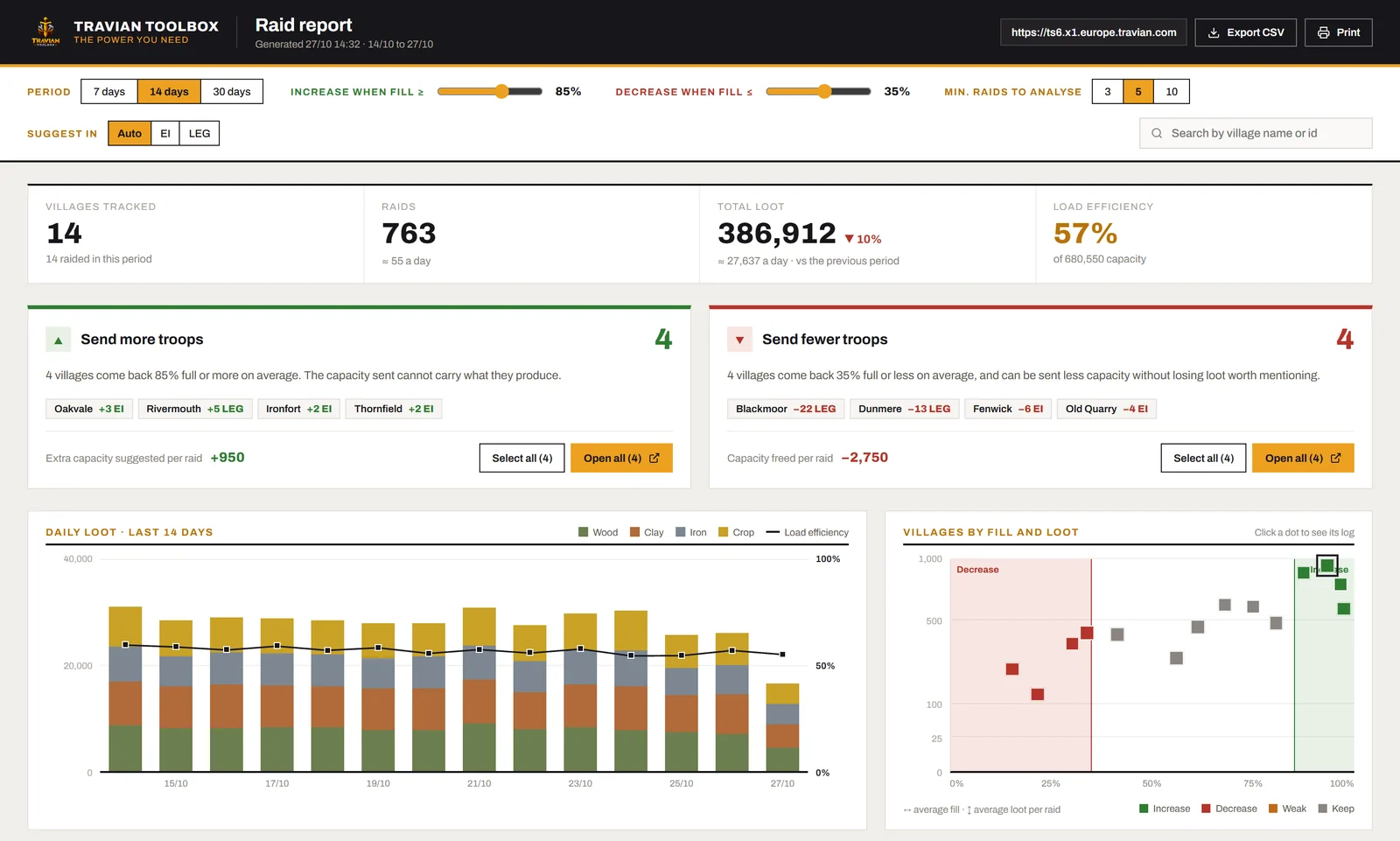
Pick a Period of 7, 14 or 30 days. The report then sorts your farms into two lists:
- Send more troops: farms that came back at least 85% full. Your troops can't carry what the village produces.
- Send fewer troops: farms that came back 35% full or less. You can send less without losing loot worth mentioning.
Both thresholds can be changed, and a farm needs at least 5 raids before it is judged. You can change that number too. Each suggestion is converted into units of the type you send most to that farm, using what each unit carries according to your own raid history.
Below that you get daily loot by resource, a chart of every farm by fill and loot, and a village log you can sort and search. Tick the farms you want to change and open them in tabs, 10, 20 or 50 at a time, or download everything with Export CSV.
Tip — The report gets better the more you read. Press Refresh or Full read whenever you pass by the rally point. The more raids each farm has on record, the more the suggestions can be trusted.
Try it
Raid analysis is one of the tools in Travian Toolbox, an extension for Chrome. Install it and start with the free trial. Every number in the report is explained in the raid analysis docs.