
Inactive players are the easiest farms in Travian. Their villages keep producing, and nobody is there to spend the resources or defend them. The trouble is getting them into a farm list. A search on a busy server can hand you more than a thousand inactive villages, and you end up checking each one by hand, then checking again whether it is already in one of your lists.
The inactive finder in Travian Toolbox runs the search, removes the villages you already farm, and opens the rest in batches so you can add them to a farm list quickly.
 Full tutorial: the inactive finder8:46
What happens when you press Run scrape
Open the extension on a Travian tab and go to the Scrape tab. When you press Run scrape, the extension:
- Detects your server and your active village from the open tab.
- Reads your farm lists on the rally point and collects every village you already raid.
- Searches inactivesearch.com with your filters, page after page.
- Removes the villages you already farm and sorts the rest by distance.
- Returns your tab to the page it started on.
You see the progress as it goes (Scanning page 3), and Stop cancels it. When it finishes, the popup switches to the Inactive list.
The filters that matter
Max distance is the search radius around your active village, up to 400 fields. Start small. A tight radius gives you farms your troops reach quickly.
Inactive chooses between inactive Players, meaning every village of someone who stopped playing, and inactive Villages, meaning single villages that stopped growing. Inactive for sets how many days without growth count as inactive, from 2 to 6. A higher number gives you fewer results that are more certainly abandoned.
Pop player and Pop village are population ranges. Use them to skip tiny villages that produce little, or big accounts that might still have troops at home. Pop change filters by the daily population change, and a negative value means the village is shrinking.
Under exclusions you can hide whole tribes, your own villages and your alliance with Hide tribes, Hide my villages and Hide allies.
Warning — Leave Open the raid lists automatically on. It opens every collapsed farm list so all of them are read. With it off, only the lists you left open are checked, and villages you already farm can show up in your results.
Open them in batches
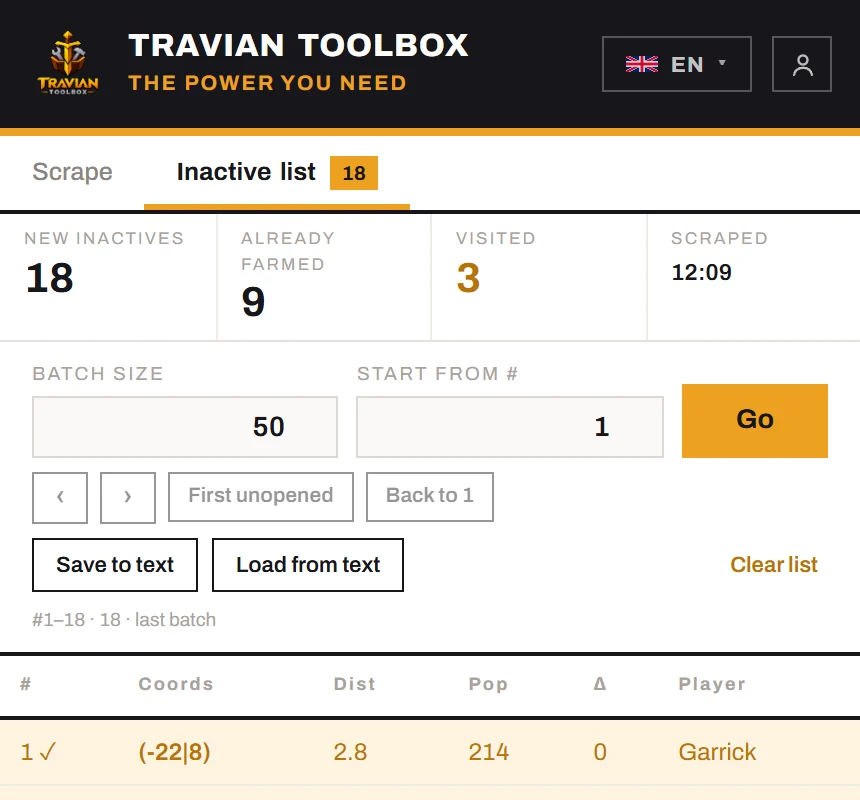
The Inactive list tells you what you got: New inactives are villages that are in none of your farm lists, and Already farmed counts the ones it left out.
Set Batch size and press Go. The extension opens that many villages in background tabs, so the popup stays in front, and moves its position on to the next batch by itself. Every village you open is marked visited, so you can stop and come back later, even after closing the browser. First unopened jumps to the first village you have not opened yet.
A routine that works well:
- Set Batch size to the number of free slots in one farm list.
- Press Go.
- In each tab, add the village to the list, then press
Ctrl + Wto close the tab and move to the next. - Press Go again for the next list.
You can also save a list with Save to text and bring it back later with Load from text.
Keep empty villages out of your next search
Some inactive villages have nothing left to take. You can stop them from coming back in every search without putting them in a list you actually raid.
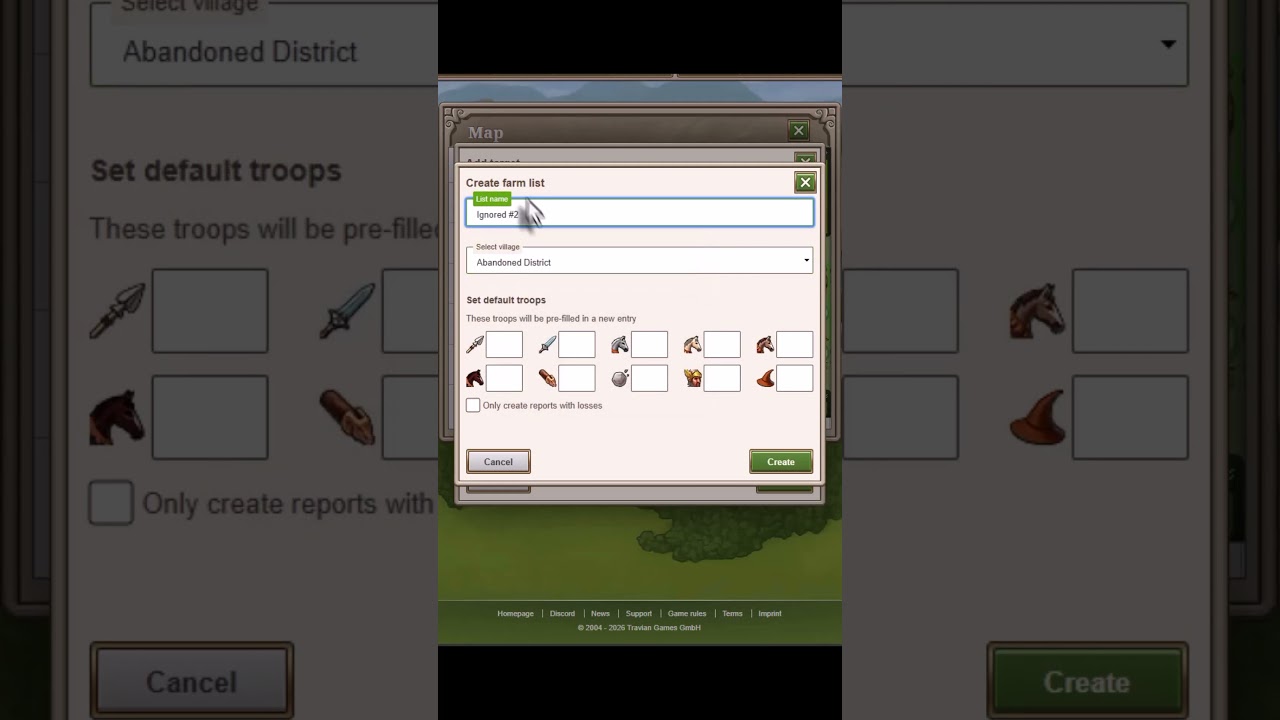 Filter out 0-resource villages0:28
- In any village, create a farm list called "ignored" that sends just one troop.
- Add the empty village to that list, tick Deactivate target, and save.
The scraper reads every farm list, this one included, so the village counts as Already farmed and stays out of your next results. Keep Open the raid lists automatically on so the ignored list is read even when it is collapsed.
Try it
The inactive finder is one of the tools in Travian Toolbox, an extension for Chrome. Install it and start with the free trial. Each filter and control is also explained in the inactive finder docs.